Kaltura Tutorials (For Students):
How To Download Your Media from Kaltura
Tutorial for students on how to download your media from Kaltura ahead of the service deprecation on December 18ᵗʰ.
- Go to: https://wustl.mediaspace.kaltura.com/home
- Click on the Guest tab and then on “Login”:

- Enter your WashU credentials and complete any verification steps.
- After you log in, click on your name on the top right corner of the screen and then click on “My Media”:

- You will then be taken to your media gallery where any Kaltura videos you have are stored:

- Find a video you want to download and click on the
 icon next to it: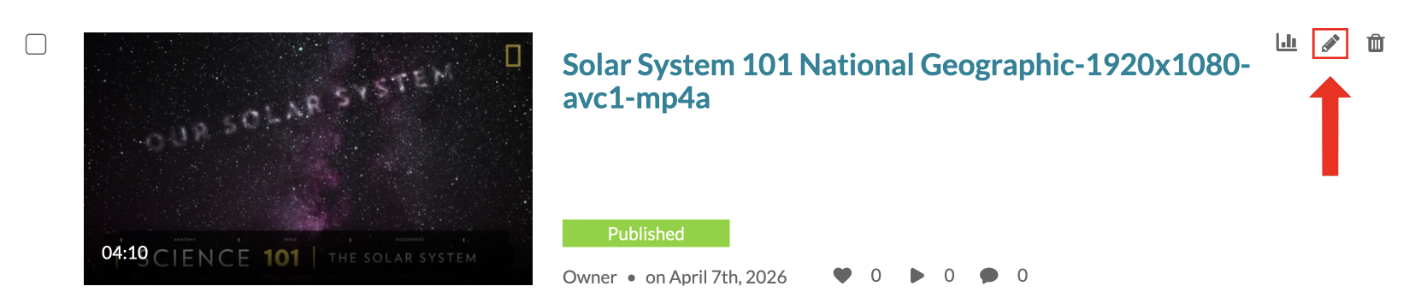
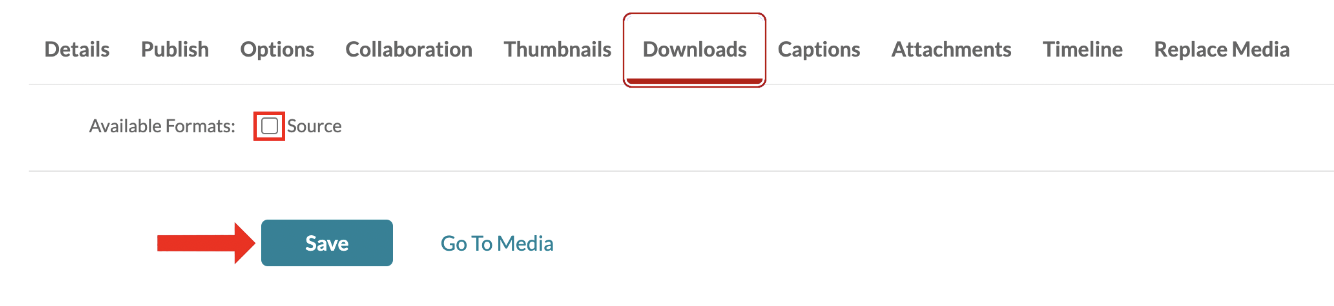
- Once in the edit page, navigate to the Downloads tab. Check the box before “Source” and then click “Save”:
- After saving, go back to your My Media page. Find the video again and click on it. You will be taken to this page:
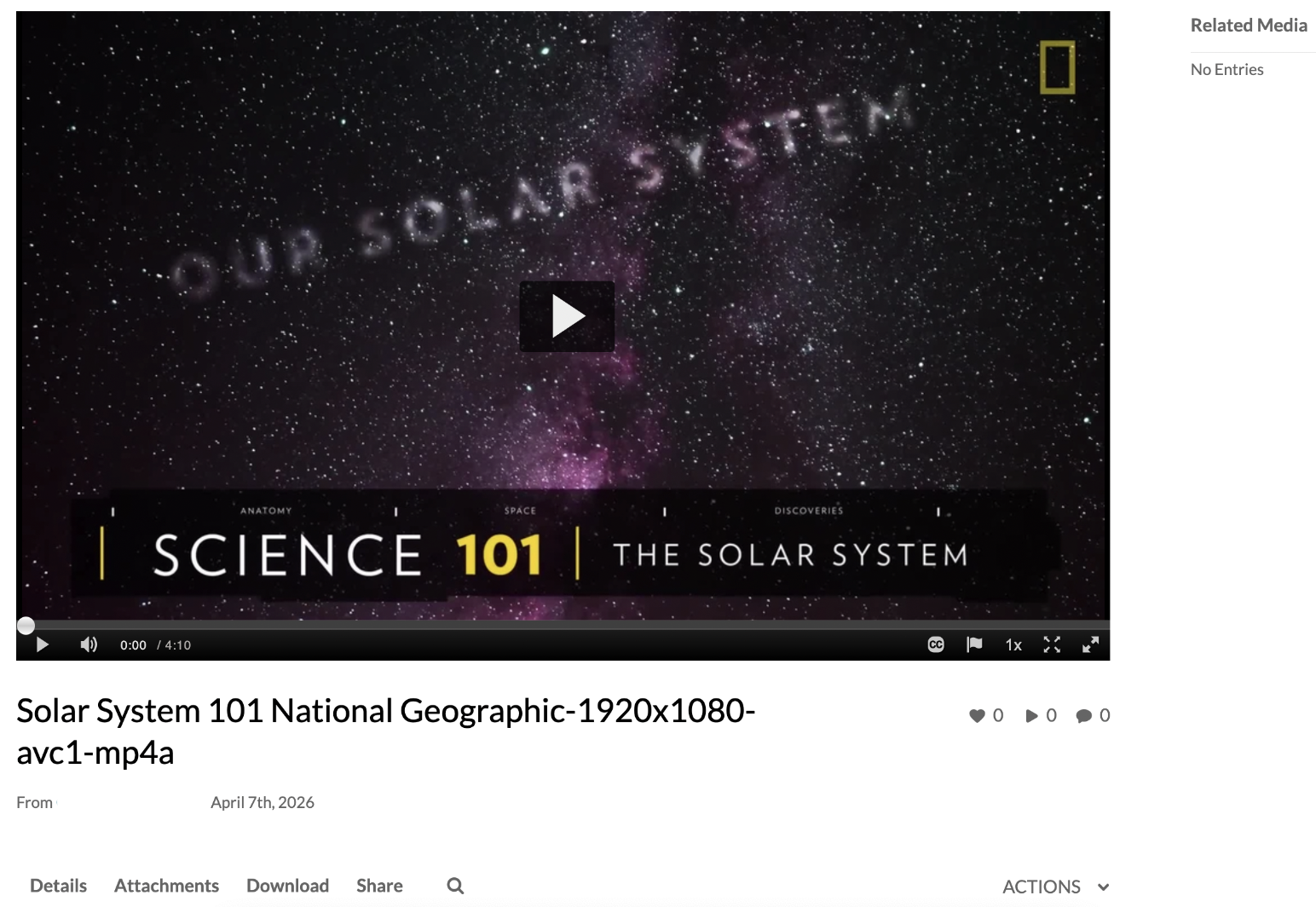
- Navigate to the Downloads tab and click on the download icon to start your download:
