Panopto Tutorials:
Panopto Analytics
Tutorial on how to use the analytics feature in Panopto.
Individual Analytics
To view analytics on a specific video:
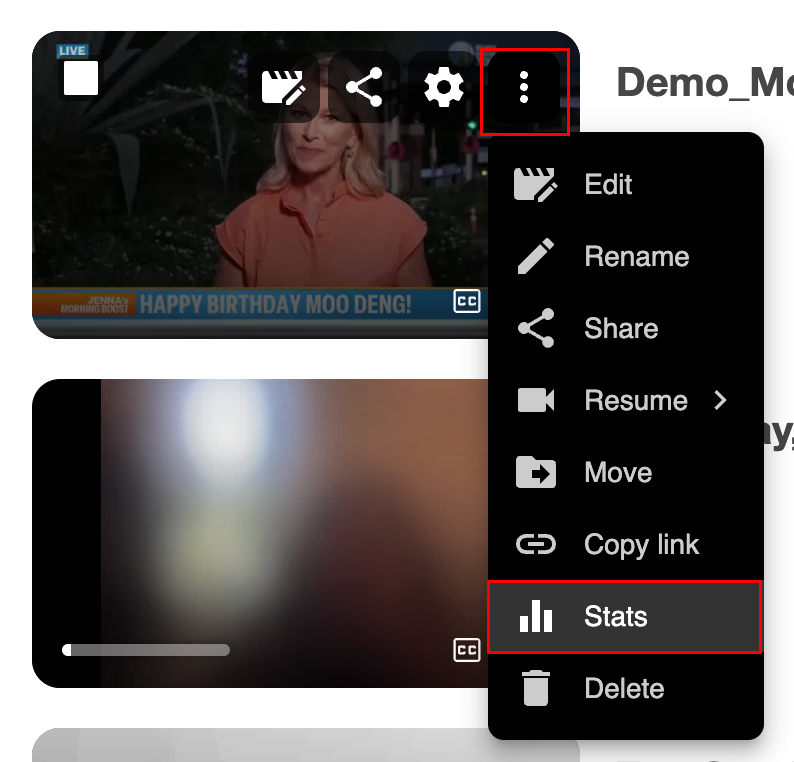
- Locate the video, click on the “More Actions” icon (three vertical dots) and select “Stats”:
- You will be taken to the analytics dashboard:

↳This dashboard shows Views and Downloads, Unique Viewers, Average Completion, and Viewer Engagement, among other metrics.
↳ You can download analytics reports at the bottom:
↳ You can learn more about session (individual video) statistics here: Session Statistics
Course Analytics
To view analytics on all videos in a course:
- Go to the Panopto tab in the course and click on the Stats icon at the top right:

- You will be taken to the analytics dashboard:
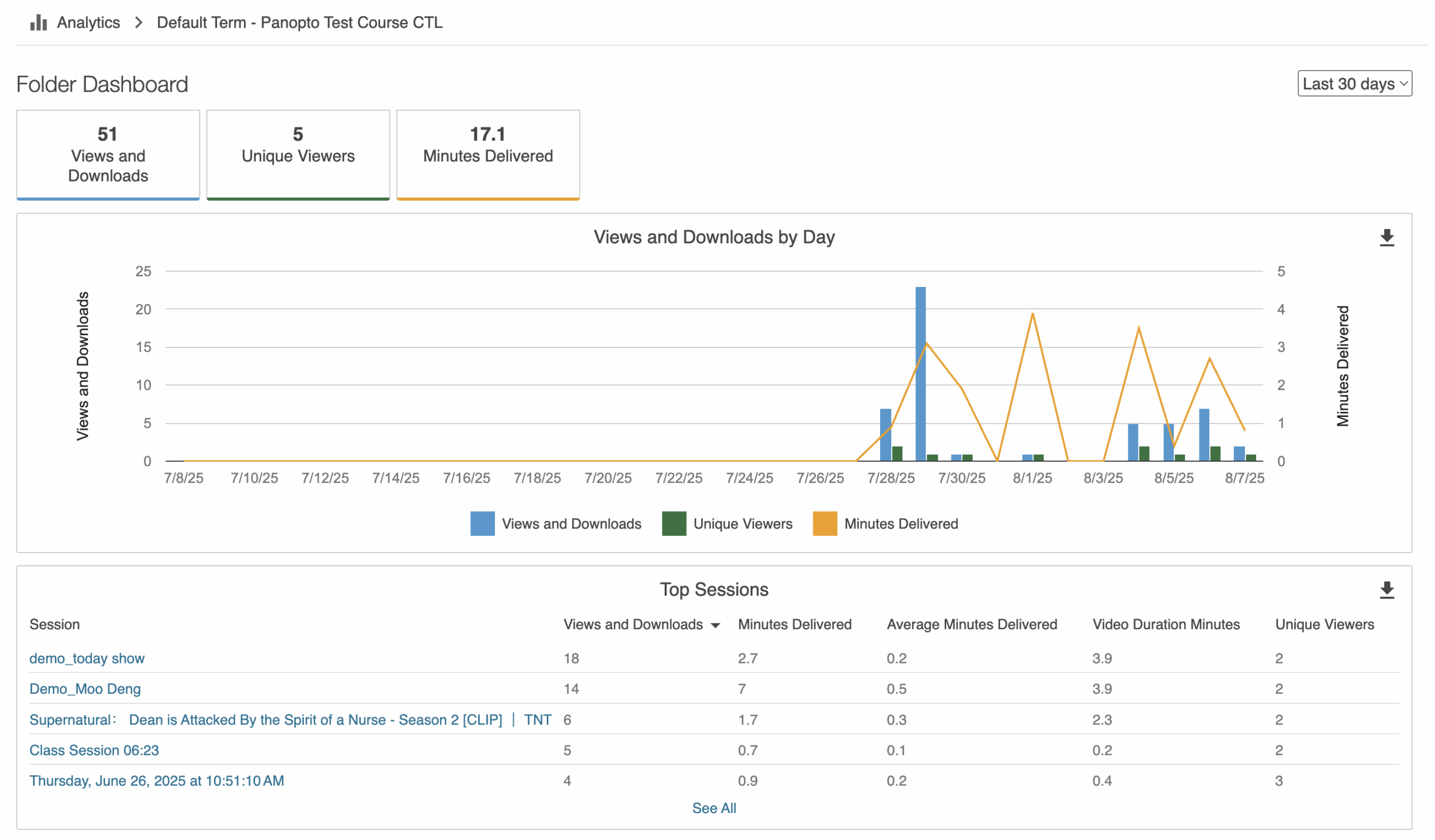
↳ This dashboard shows Views and Downloads, Unique Viewers, Average Completion, and Viewer Engagement, among other metrics for all videos published to your course.
↳ You can download analytics reports at the bottom:
↳ You can learn more about folder statistics here: Folder Statistics