Panopto Tutorials:
How to Embed Media
Tutorial on how to embed media in Panopto.
NOTE #1: There is a known glitch in the embed tool. Please, scroll to the bottom to learn more about it and how to work around it.
NOTE #2: Do not use embed codes when embedding Panopto videos in Canvas. Always use the Panopto Embedding Tool as illustrated below.
How to Embed in Canvas
- When creating content in Canvas, look for the
 Panopto icon. If you can’t find it, click on the
  icon instead and click on “View All”: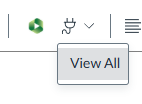
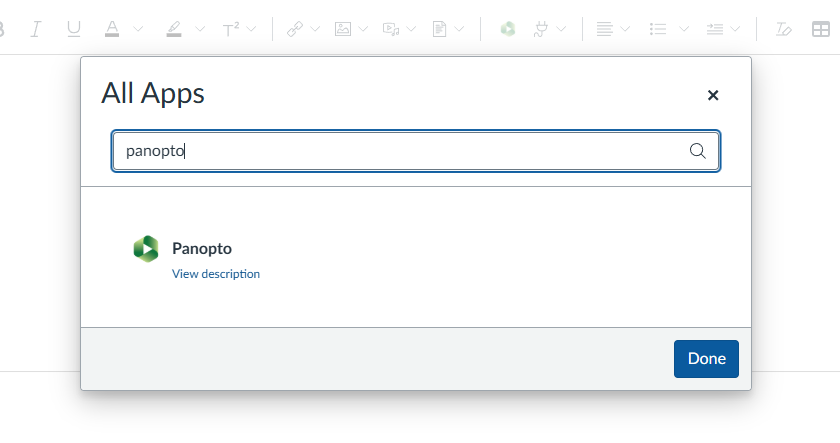
- Select “Panopto” from the list:
- Once you’re in the embed tool, select the video you want. You can change the default embed settings by clicking on the dropdown icon next to “Video Embed Options”:
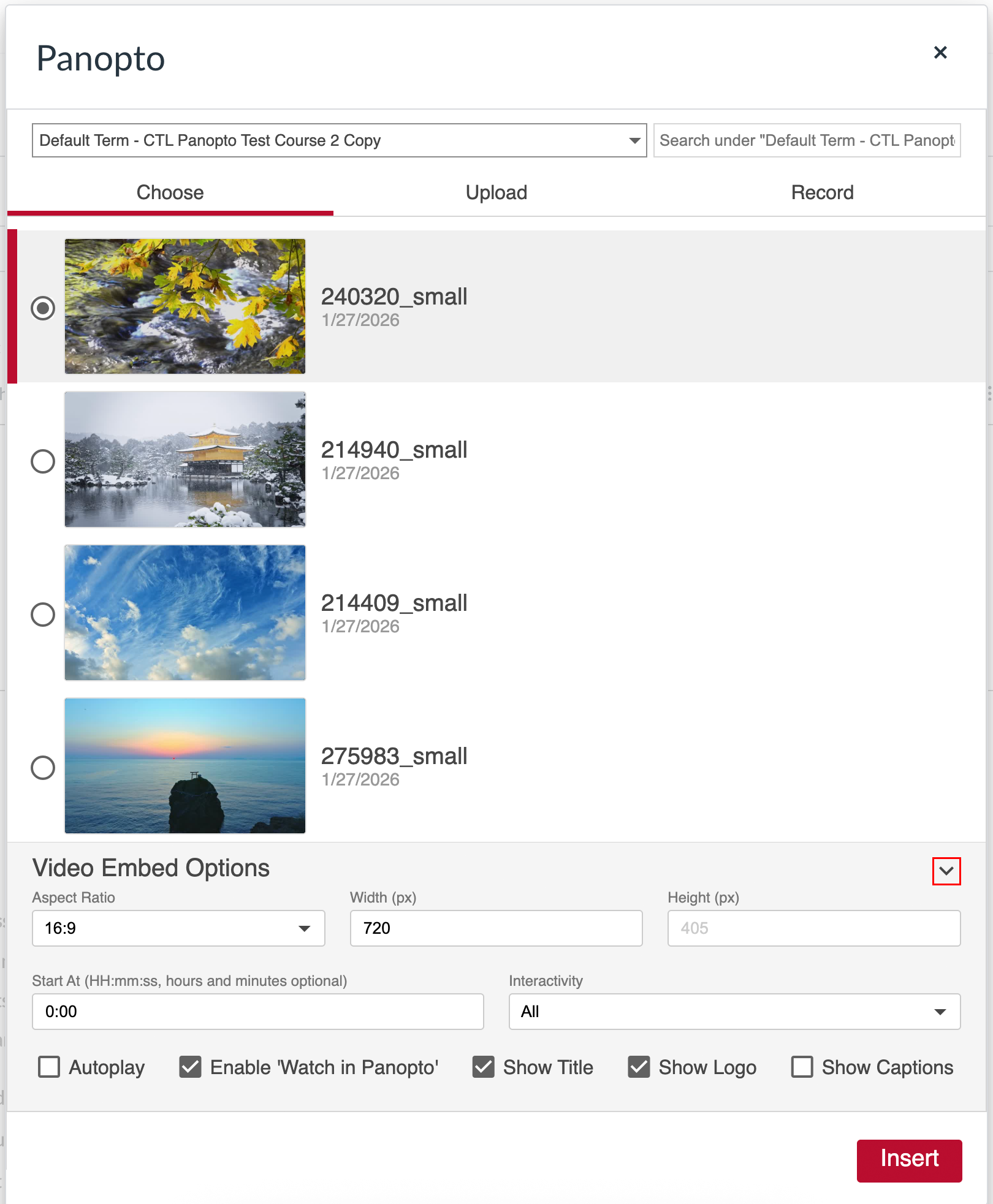
- Aspect Ratio: Changes the player size.
- You can use a custom size by selecting “Custom” and then manually filling out the “Width” and “Height” boxes.
- Start At: Changes the starting point of the video.
- Interactivity: Changes the available interactivity options.
- All: Allows viewers to leave comments on the video, add notes and search the video for keywords.
- Search and Rating Only: Allows viewers to search the video for keywords. Rating is disabled at Enterprise level.
- None: No interactivity options will be available.
- Autoplay: Video will start playing for viewer automatically.
- Enable ‘Watch in Panopto’: Allows users to open the video in a new tab in the Panopto viewer. This gives viewers the ability to access the video transcript.
- Show Title: Changes whether the title of the video appears on the embedded player or not.
- Show Logo: Does not apply to our instance.
- Show Captions: Enables captions for the video.
- Aspect Ratio: Changes the player size.
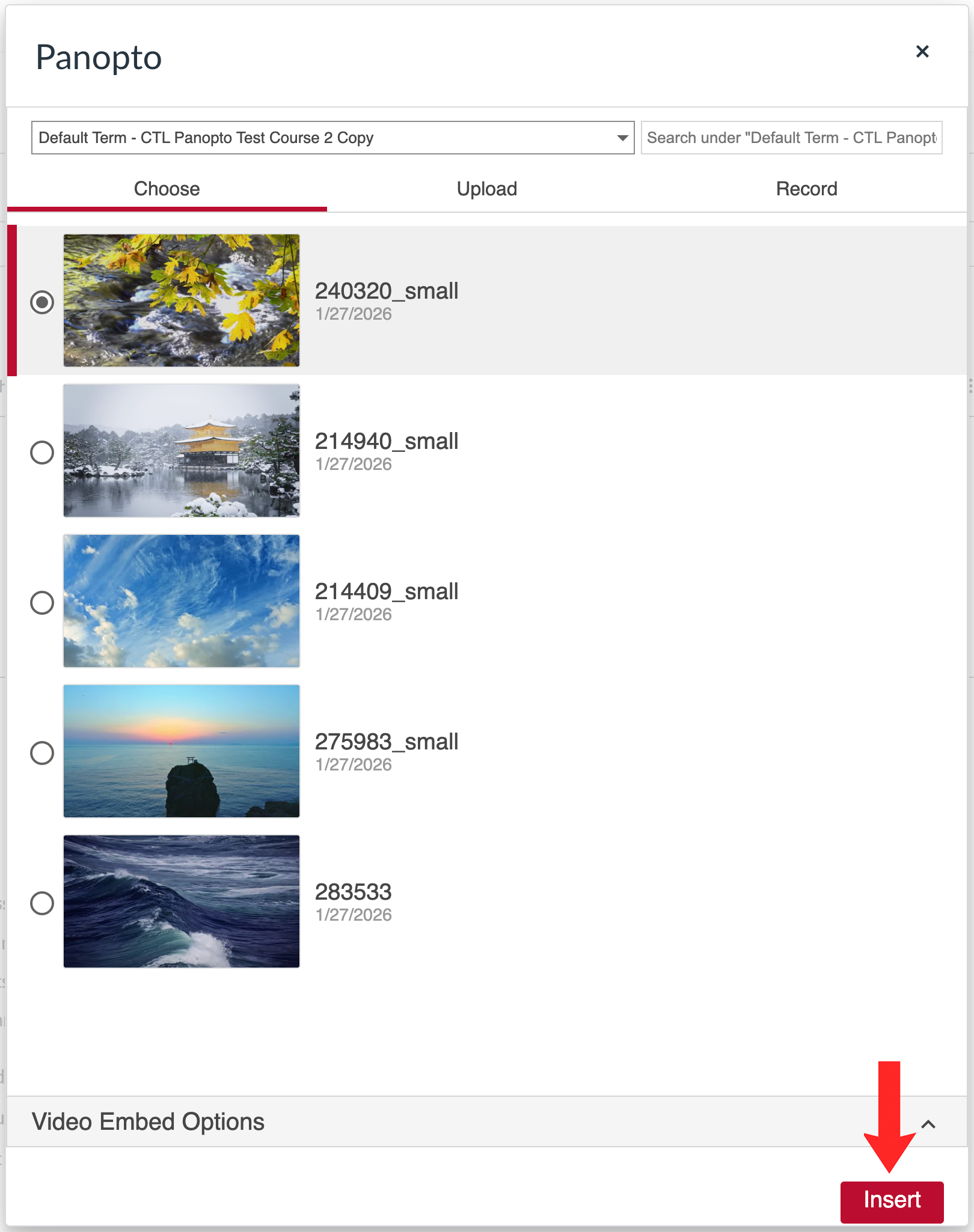
- Once you’re happy with the settings, click “Insert”:
- Once you’re done, just save and publish the content as normal.
Search Function Glitch
There is a known glitch in the Panopto embed tool: the dropdown menu to see all folders that belong to you does not currently work. If you have sub-folders in your course folder or want to pull a video from a different folder, you will need to manually type in the name of the folder in the search bar:
- Click on the dropdown icon next to the current folder. You will notice it will be stuck on loading:

- Search the name of the folder you want to access and click on it once it pops-up:
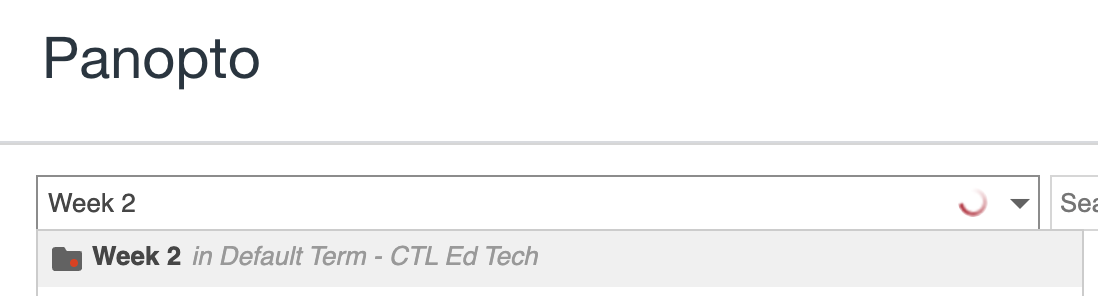
↳ Alternatively, if the video you’re looking for is in a sub-folder within the course folder, you can search up the video name on the course folder search bar:
- You will now be able to see the videos in that folder and follow the embed steps above.