Panopto Tutorials:
How to Use Playlists
Tutorial on how to use the playlists in the Panopto Canvas/WuEx integration.
Creating a Playlist
- Go to the Panopto tab in your course, click on “+ Create” and then select “Playlist”:

- Fill out the required information and then click “Create”:
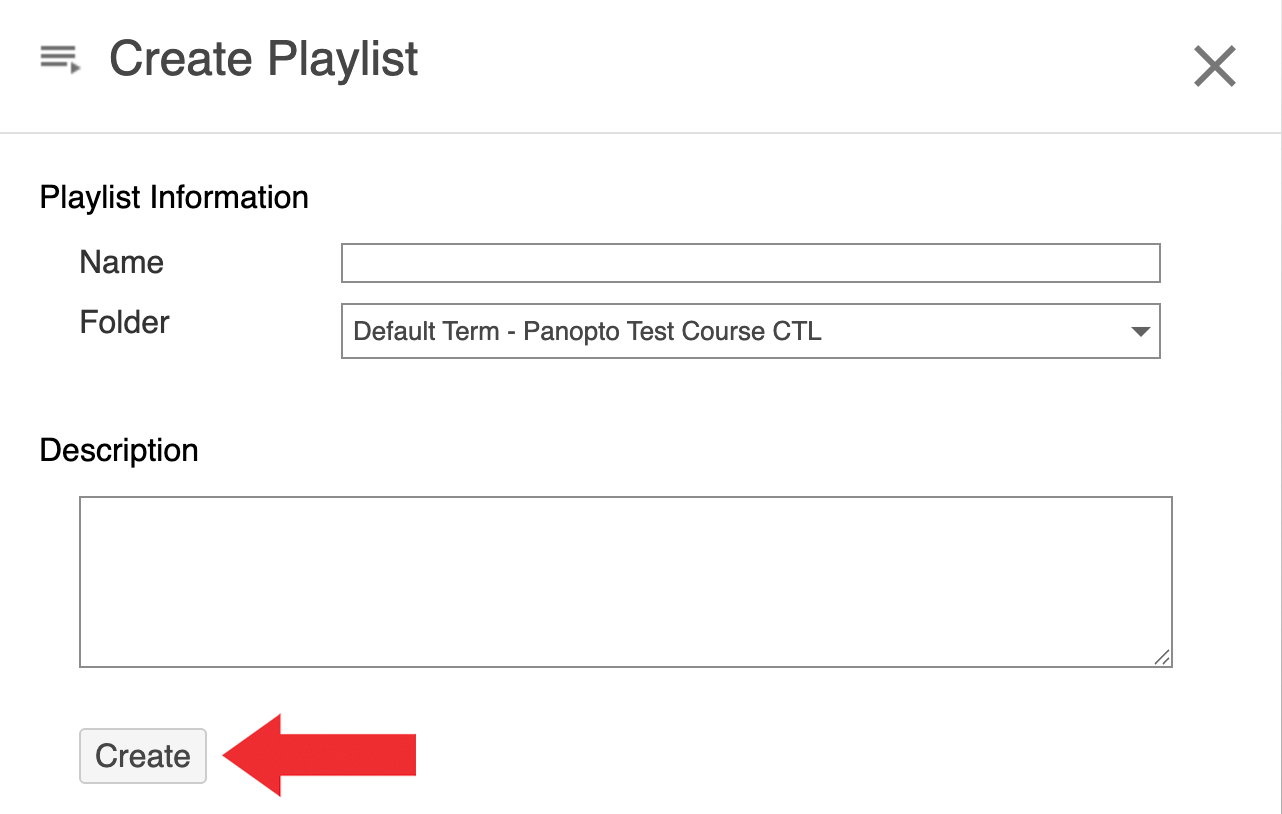
↳ Make sure you select the correct folder.
- Click on “Add Videos”:
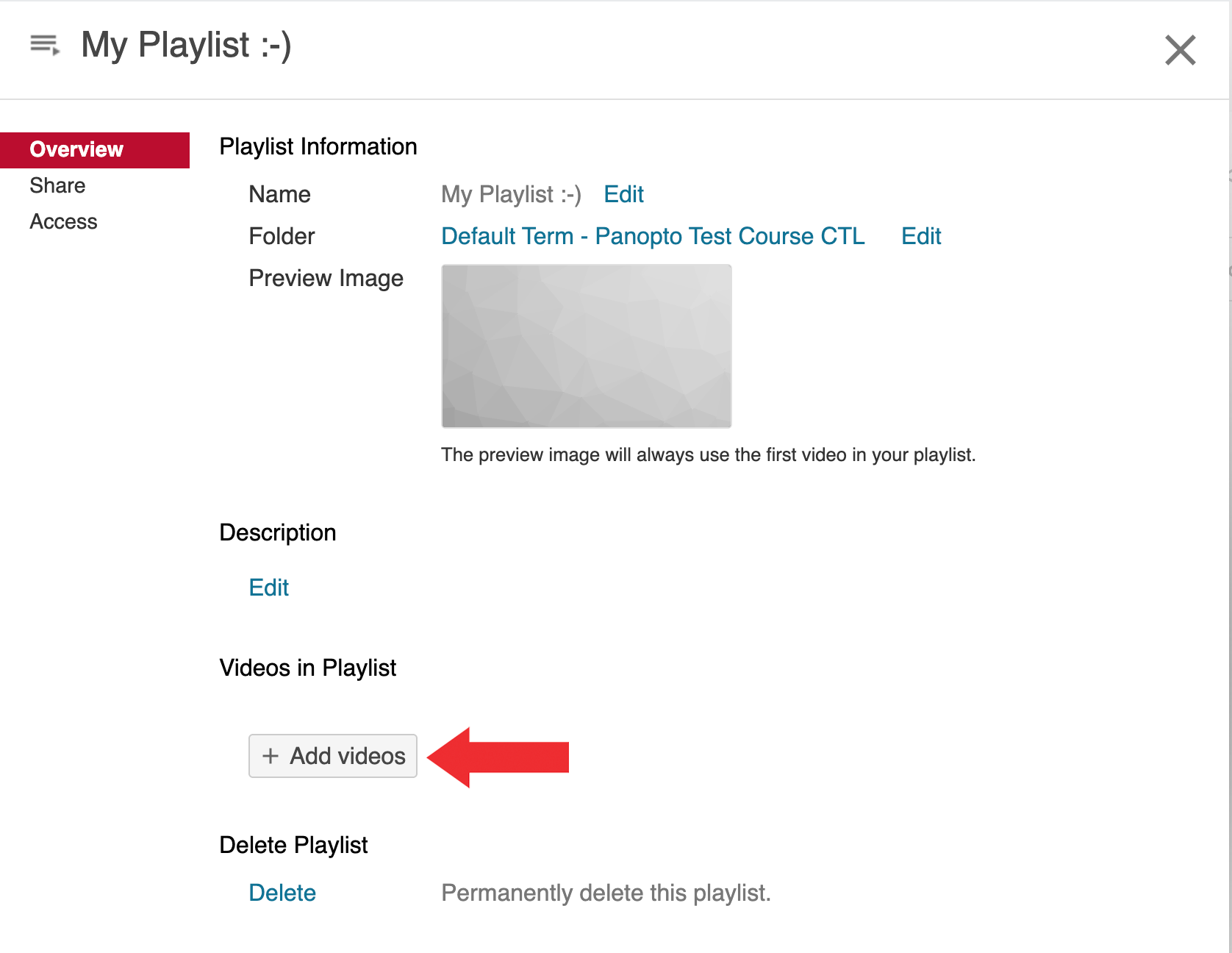
- Select all videos you’d like to add to the Playlist, then click “Add”:
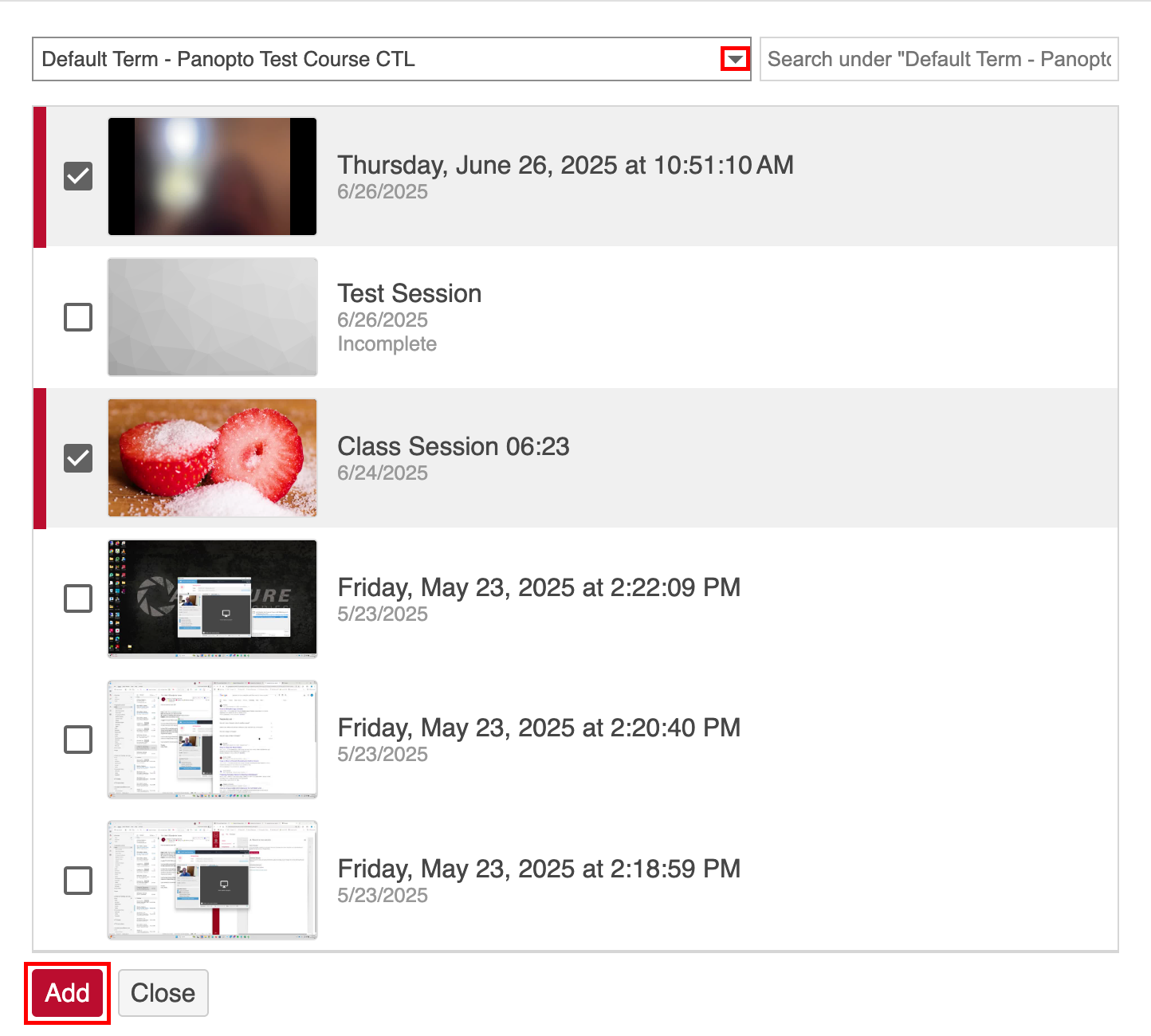
↳ Once you are done, you can click Close. The Playlist will automatically save.
Managing Your Playlists
Once you have created your playlist, you will have a few options:
- Click on the
 icon to edit your playlist:
- The first section will allow you to change the title, description and location of the playlist.
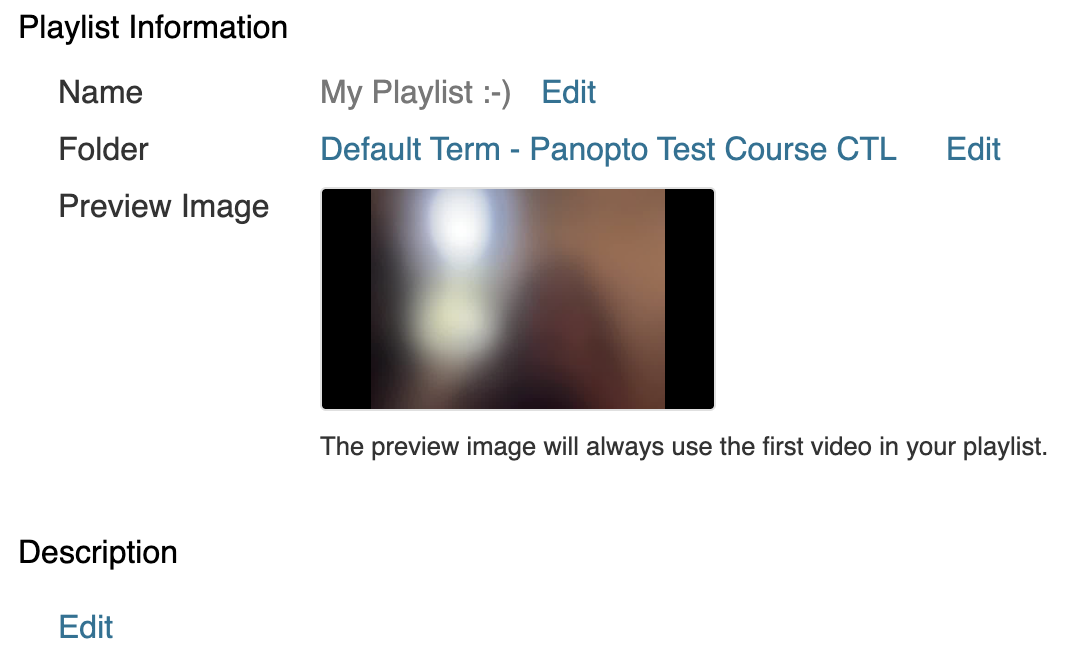
- To move videos around, click and drag them into the desired spot.
- To delete videos, click on the “X” button next to the desired video.
- To add more videos, click on “Add videos”.
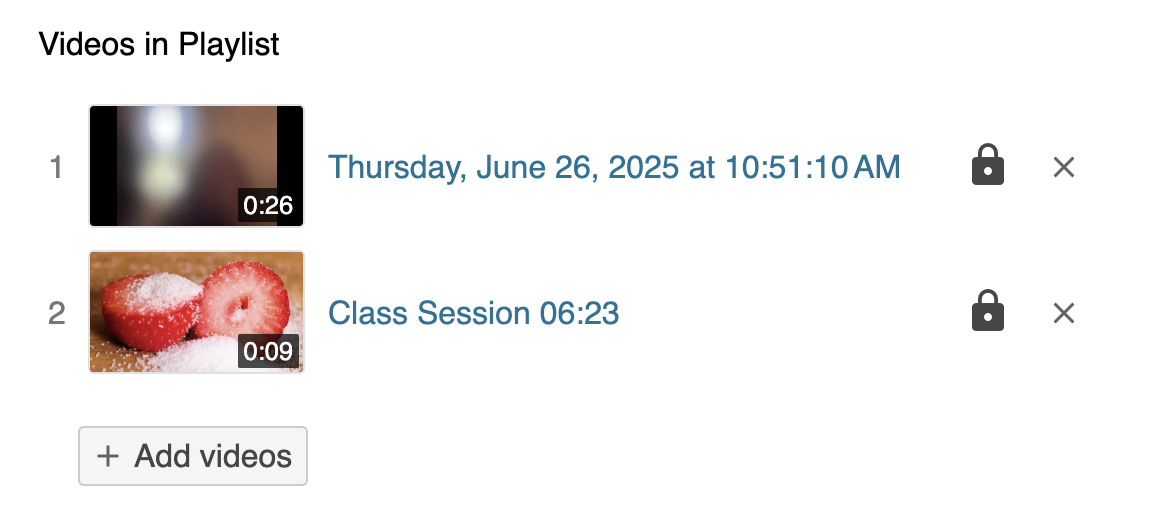
- The first section will allow you to change the title, description and location of the playlist.
- The
 icon will take you to the sharing options for your playlist. The Share menu is also available from the Settings window.
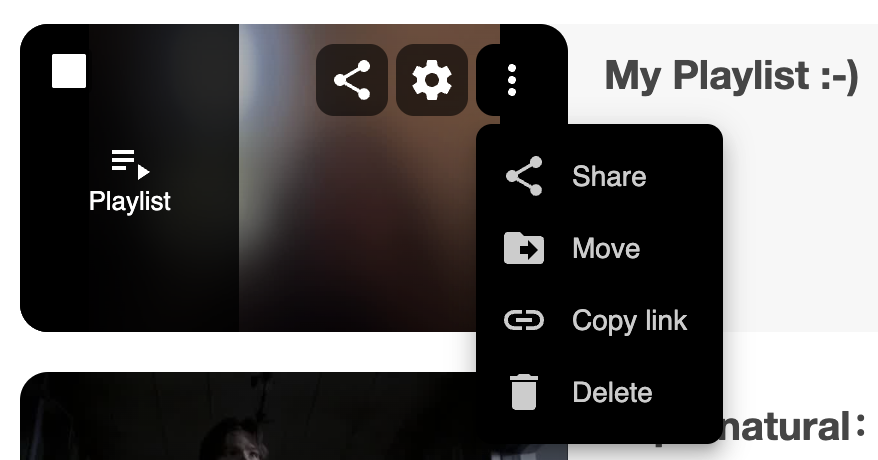
 - The “More Actions” menu
 includes a few options:
- Share takes you to the sharing options for your playlist.
- Move will allow you to move your playlist to a different folder.
- Copy link will copy a sharing link for your playlist.
- Delete will delete your playlist.