Provisioning Video Folders in Panopto
A tutorial on how to provision video folders in Panopto.
Need technical support?
Call us
Email us
When you first create a Canvas course, you will need to provision a video folder for it. There are different ways this can be done depending on how you set up your courses. Look through the scenarios below and see which better suits your needs.
General Folder Provisioning
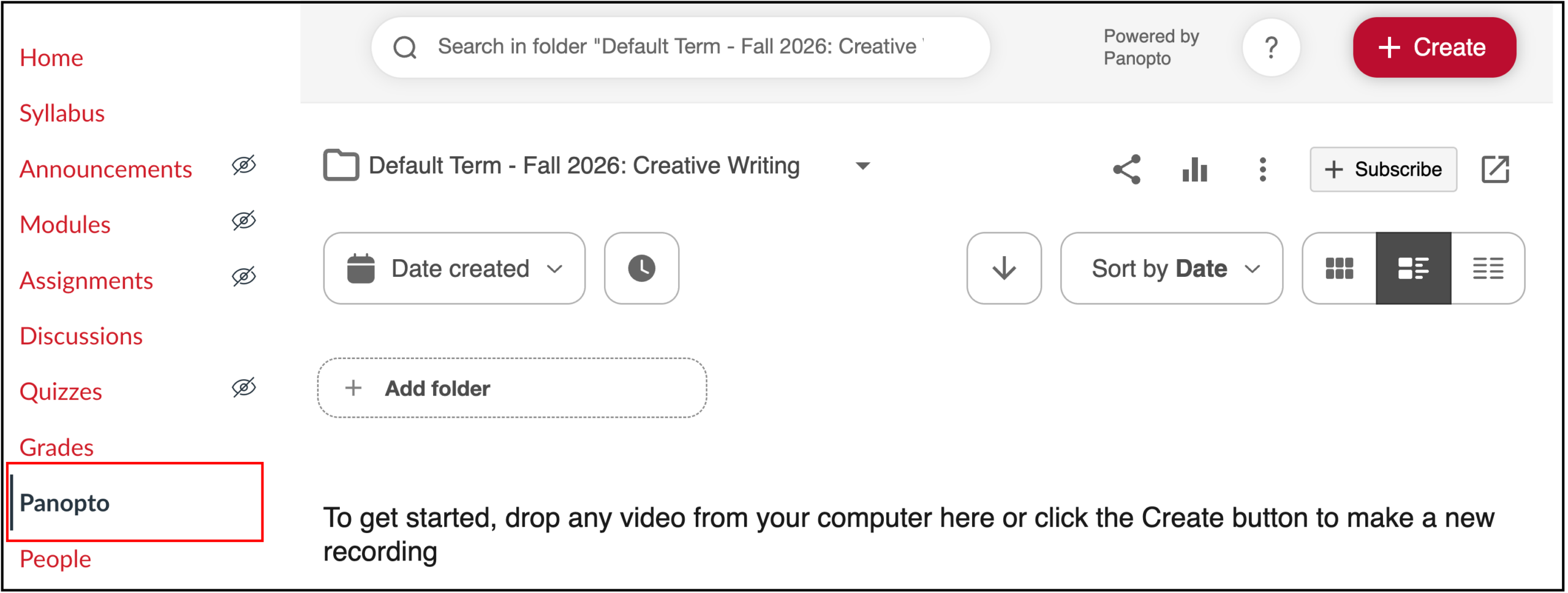
If you simply copy the previous semester’s course into the new one, then you just need to click on the Panopto tab once your course copy is done:
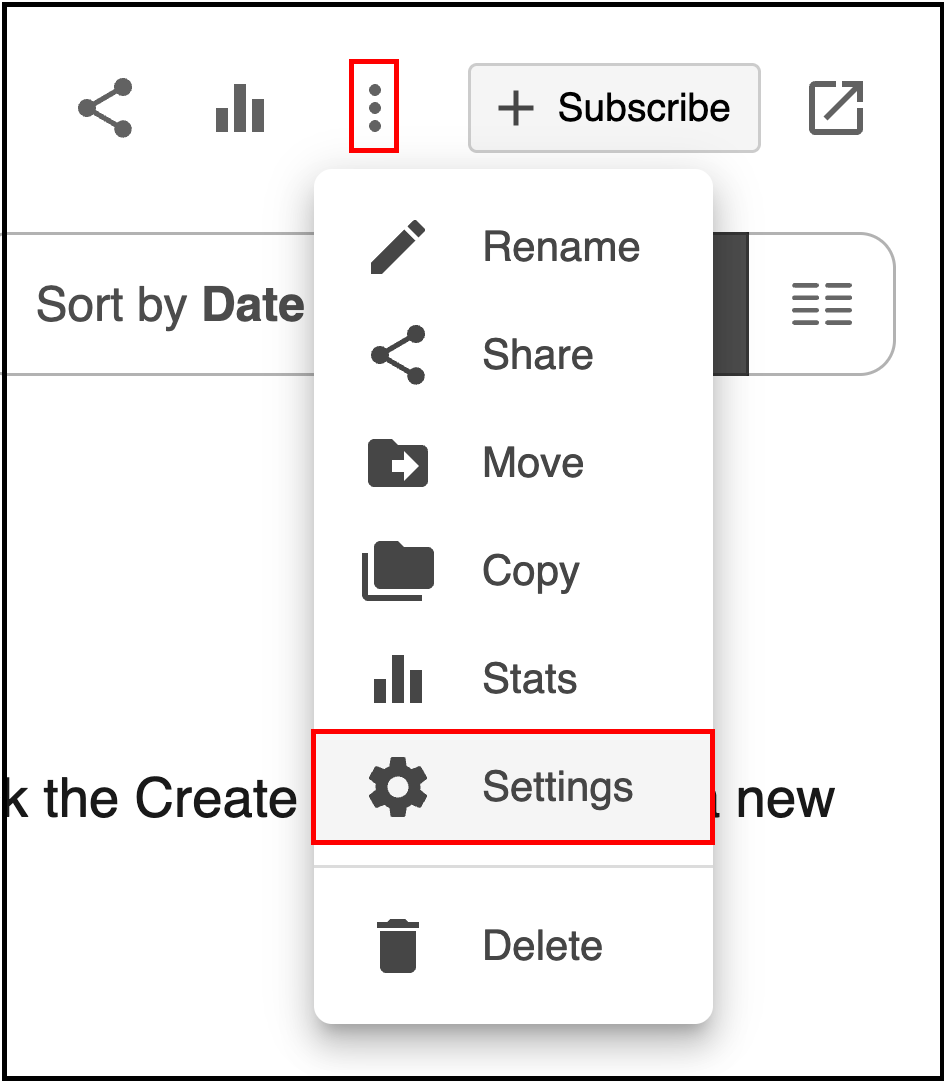
To verify that your provisioning has started, go to Settings:
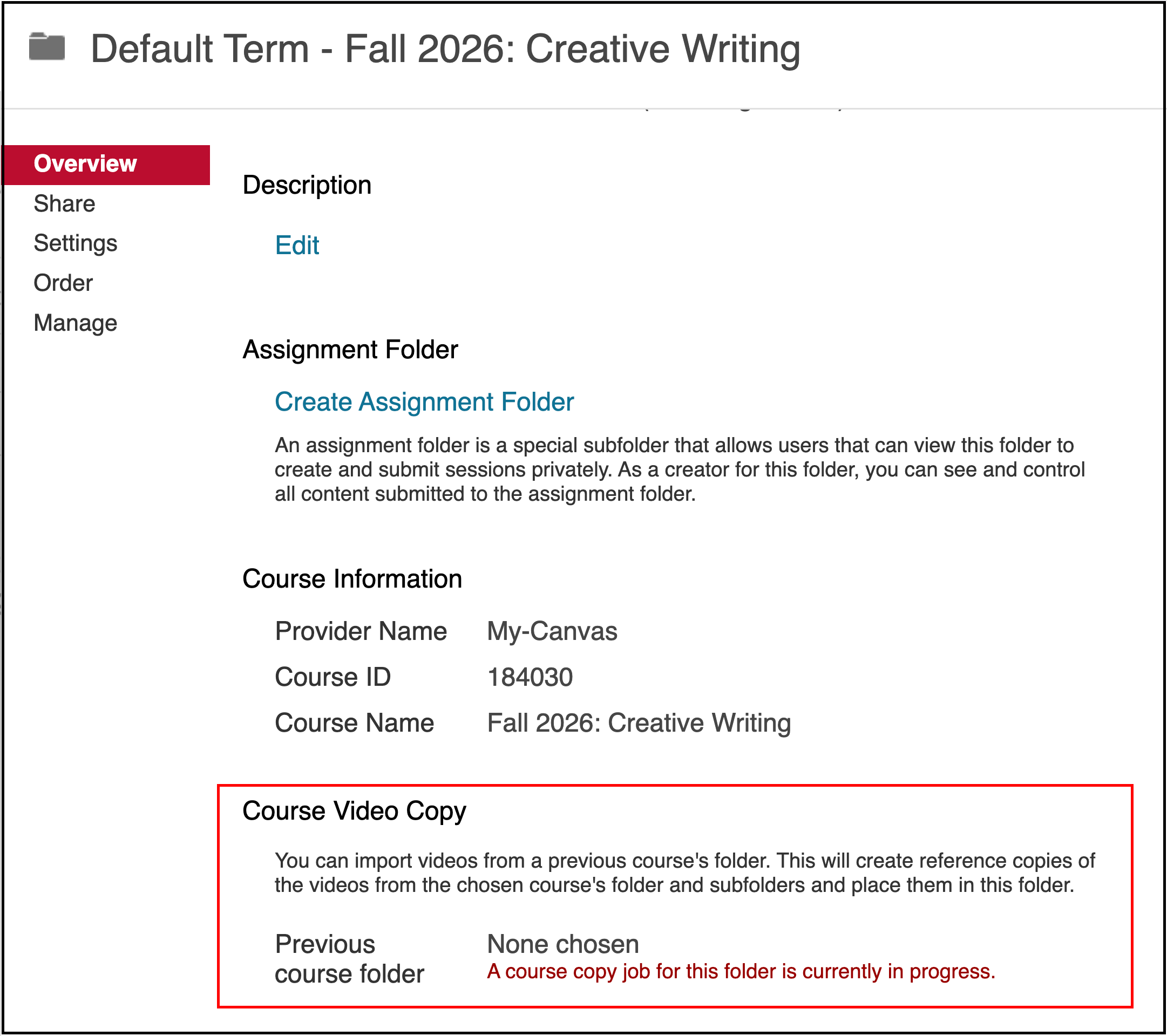
And then scroll to the “Course Video Copy” section in the Overview tab. It will say “a course copy job for this folder is currently in progress”:
You will know the provisioning is completed once your videos populate. It can take up to 24 hours for it to complete.
Provisioning a Folder when Using a Course Template
Provisioning a Folder when Importing Content from Multiple Courses
FAQ
- I created a brand new course. How does provisioning work then?
-
If you create a brand new course rather than copying an existing one, a new course folder will be created for your course the first time you click on the Panopto tab. You can then add videos to it.
Check out our tutorials on adding videos to a folder:
- How to Upload a Video
- How to Copy a Video
- How to Move a Video
- How to Create a Video:
- When a folder is provisioned, do my videos just get moved from the previous folder to this one?
-
No. When you provision a folder, reference copies of the original video are created in your new folder.
You can learn more about reference copies here: https://support.panopto.com/s/article/Learn-About-Video-Reference-Copies
- I provisioned the wrong folder. What do I do?
-
You can only do the folder provisioning process once, so this cannot be undone. You will need to manually delete all the wrong videos and copy the correct ones into the folder.
You will also need to re-embed your videos using the correct ones that were copied into the folder.
Check out these tutorials to do so:
- Do I need to update my embed links after provisioning a folder?
-
No. Panopto will automatically update your embeds to the new reference copies in the new folder.